Data security at Kantesti
How your lab report is protected, and how you can help.
Last reviewed:

What we protect
A lab report shows more than test values. It can show your name, date of birth, address, patient number and the names of your doctor and laboratory. Every lab report you upload gets the same protection, including when you use Kantesti's free blood test interpretation. The report you receive is informational, not a diagnosis. We treat every uploaded file and every generated report as sensitive health information.
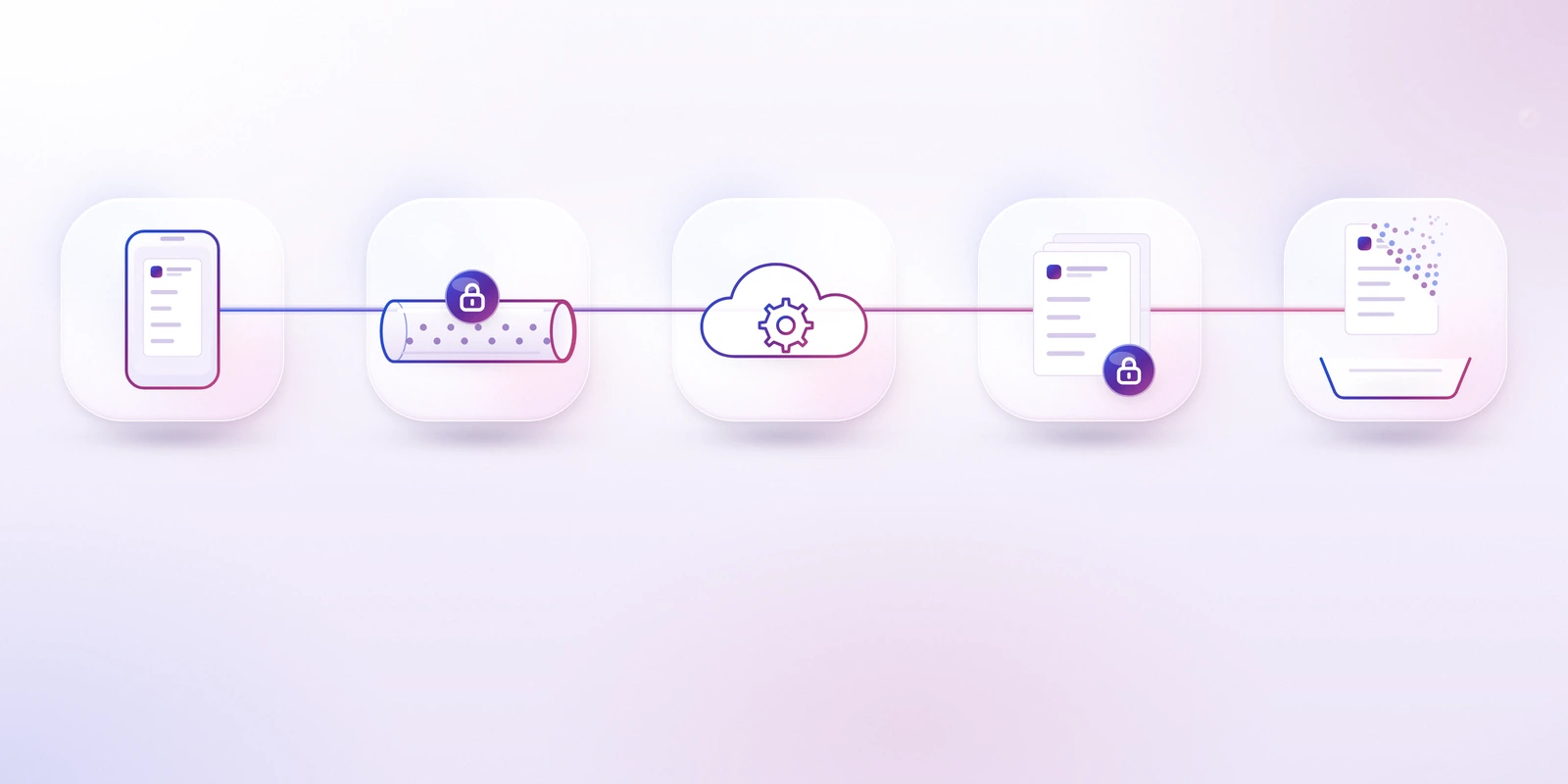
- Your device
- Encrypted upload
- Processing
- Encrypted storage
- Deletion
Protection while your file travels
When you upload a lab report, it goes through an encrypted upload flow. Your health data is encrypted in transit. This means the data is turned into unreadable code while it moves between your device and our servers, so other people on the same network cannot read it.
Before you upload, check that the web address starts with https:// and is one of our official web addresses: www.kantesti.net and app2.aibloodtestinterpret.com.
An encrypted connection alone does not prove that a website is genuine, so the address matters.

Protection while your file is stored
Uploaded files and generated reports are encrypted at rest. Stored data stays protected if the storage itself is lost or stolen, because it needs the right keys to be read.
Where our servers are hosted
- Hosting region: European Union, European Economic Area, United Kingdom, Germany, Ireland, Netherlands, France, Finland, Belgium, Sweden, Austria, Poland, Italy, Spain, Switzerland, United States, Canada, Singapore, Japan, Australia, India and Türkiye
- Hosting provider: PythonAnywhere and Cloudflare
This is the region where our main servers are hosted. Some of our service providers may process data in other regions.
Who can access your data
Your reports are personal, and your health data is never sold.
Data protection law allows our service providers to use your data only to provide their service to us.
If a personal data breach is likely to put your rights and freedoms at high risk, data protection law requires us to tell you without undue delay.
Before you upload: remove what we do not need
Kantesti needs your test names, values, units and reference ranges. It does not need your name or your ID numbers. You can cover them first:
- Make a copy of your lab report and keep the original unchanged.
- On the copy, cover your name, date of birth, address, phone number, patient number, insurance number, and any barcode or QR code.
- Keep visible the test names, results, units, reference ranges and the test date. Keep your age and sex if they are printed, because reference ranges can depend on them.
- For a PDF, use a tool that really removes the text. A black box drawn on top can often be removed again. If you are not sure, print the page, cover the details, and take a clear photo.
- A phone photo can store the place where it was taken. If your phone allows it, turn off location data for the photo before you share it.
- Check the file before you upload it. Every value should be sharp and complete.
A sharp, complete image helps the AI read your values correctly. Take the photo in good light and keep the whole table in the frame.
Report a security weakness
If you believe you have found a security weakness in Kantesti, please tell us privately first.
- Email [email protected]. Describe the weakness, the steps to reproduce it and the possible impact.
- Use only your own account and your own data. Do not access, change or delete data that belongs to other people.
- Do not publish details until we have fixed the weakness.
- Do not include real health data in your message.
Our contact details for security researchers are also in our security.txt file.
Keep your account and reports safe
- Use a password that you do not use for any other service.
- Sign out when you use a shared or public device.
- Store downloaded reports in a private place. A report contains your health information.
- Share a report only with people you trust, such as your doctor.
- If an email or a message asks you to sign in anywhere other than our official web addresses, do not enter your details.